2. Create the Foundry resource
Now we make three things: a resource group (a folder), the Foundry resource (the building), and a project (your first room inside it). The good news — one create form builds the resource and the project together.
In plain English
Section titled “In plain English”Think of it as renting an office. The resource group is the folder where you keep all the paperwork for this office. The Foundry resource is the building itself. The project is the first room you’ll actually work in. You set them all up in a couple of minutes.
Part A — the resource group (the folder)
Section titled “Part A — the resource group (the folder)”-
Portal search → Resource groups → + Create.
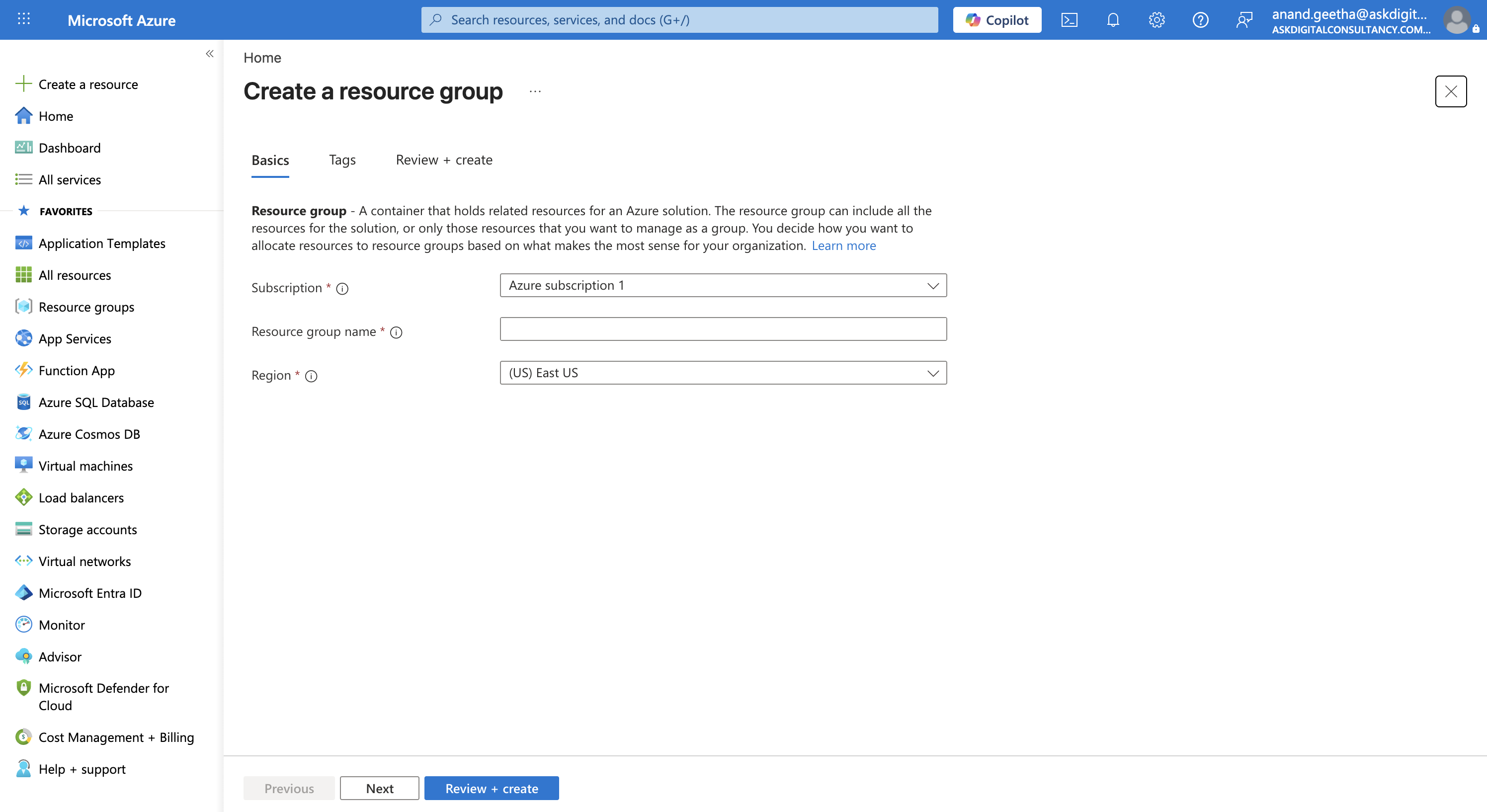
The empty 'Create a resource group' form. -
Name it
rg-foundry-scraper, region (UK) UK South.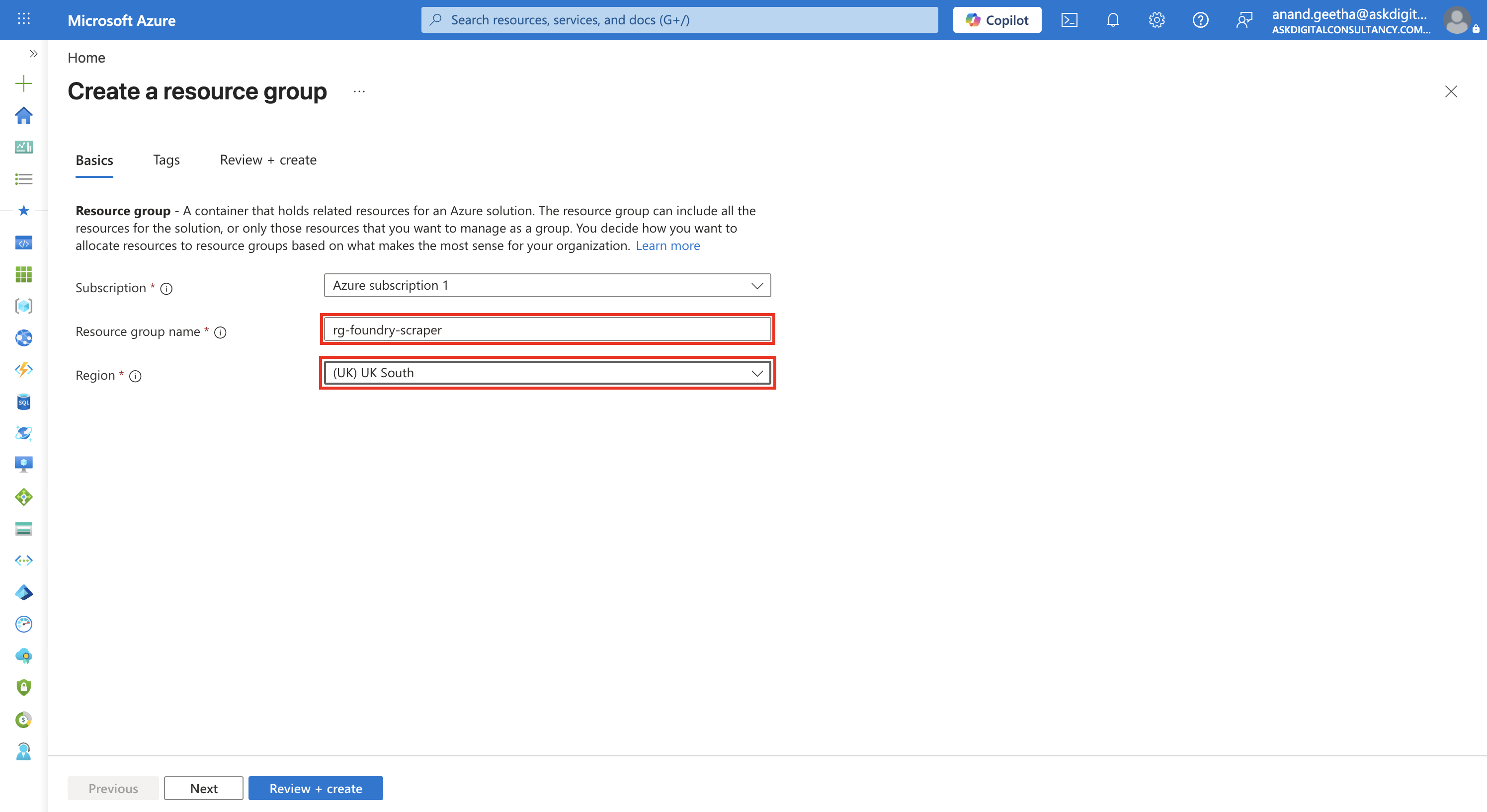
Name and region filled in (boxed). -
Review + create → Create. You get a green “succeeded” toast.
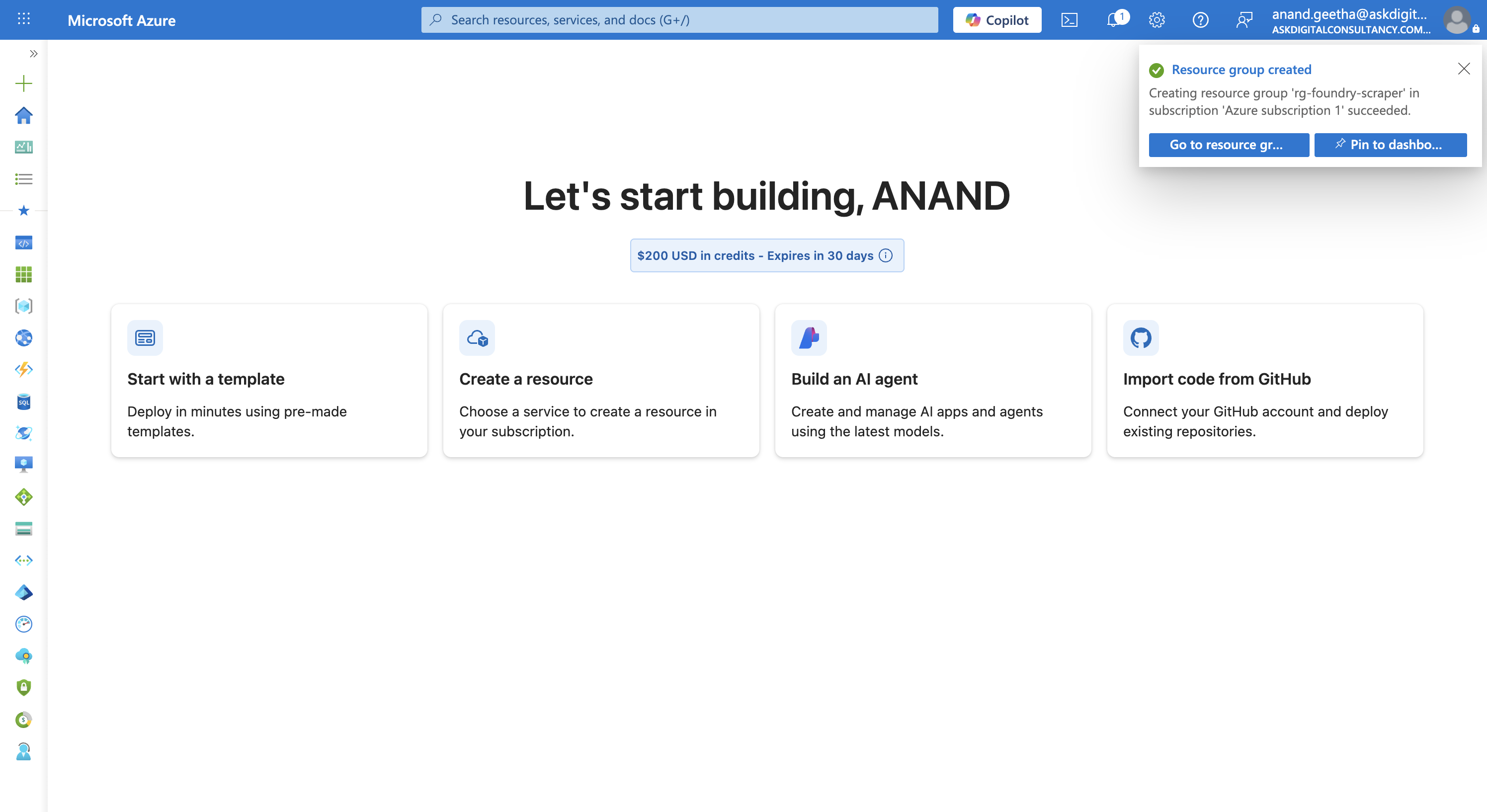
Resource group created.
Part B — the Foundry resource + project (one form)
Section titled “Part B — the Foundry resource + project (one form)”-
Create a resource → search “Azure AI Foundry” → the Microsoft Foundry tile → Create. (Direct blade:
#create/Microsoft.CognitiveServicesAIFoundry.)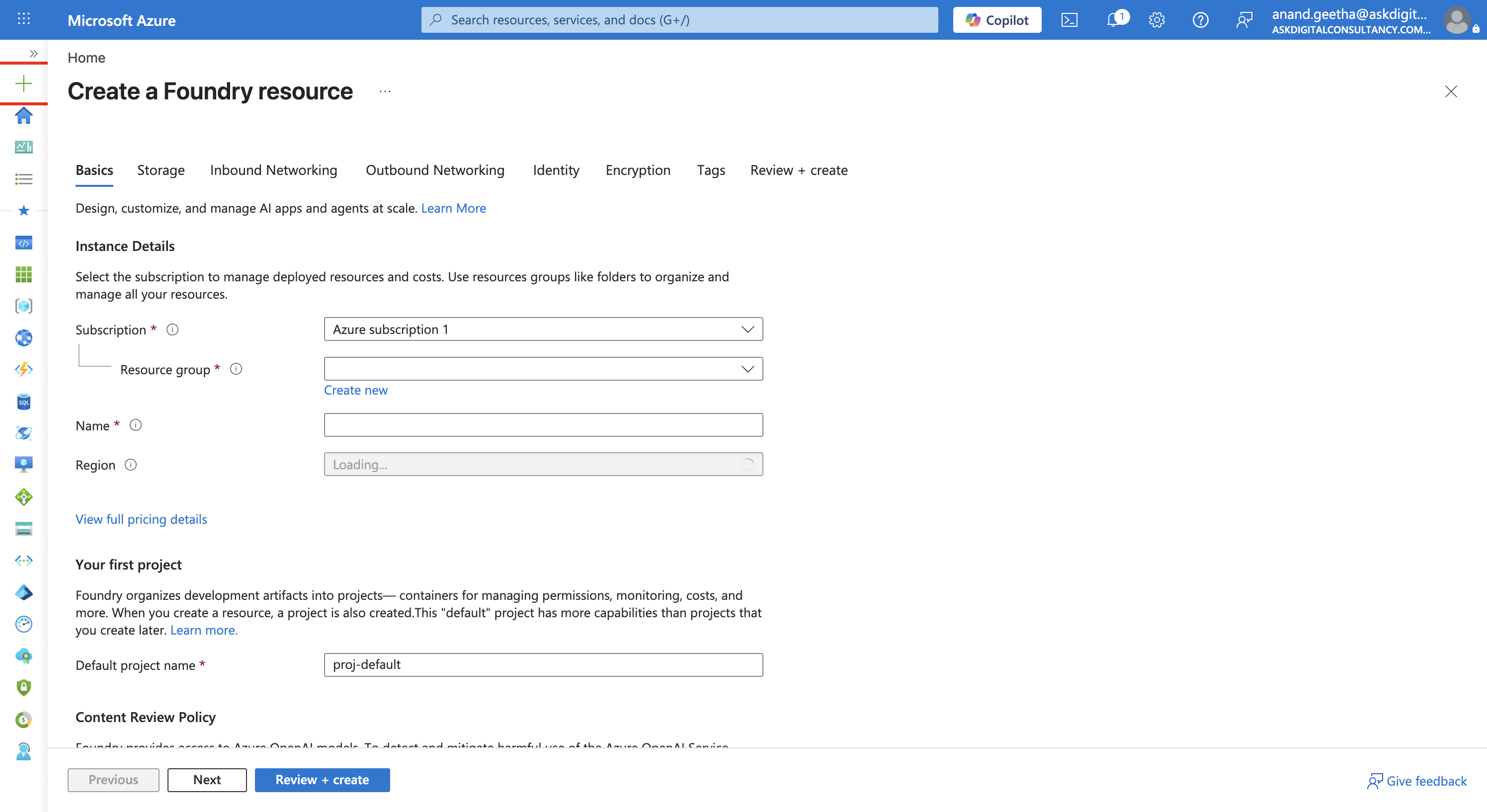
The blank Foundry create form. One form makes both the resource and the first project. -
Fill the Basics: resource group
rg-foundry-scraper, namefoundry-scraper-adc01(this also becomes your unique subdomain), region UK South, default project nameproj-scraper. Leave Storage / Networking / Identity / Encryption at defaults for this free-tier build.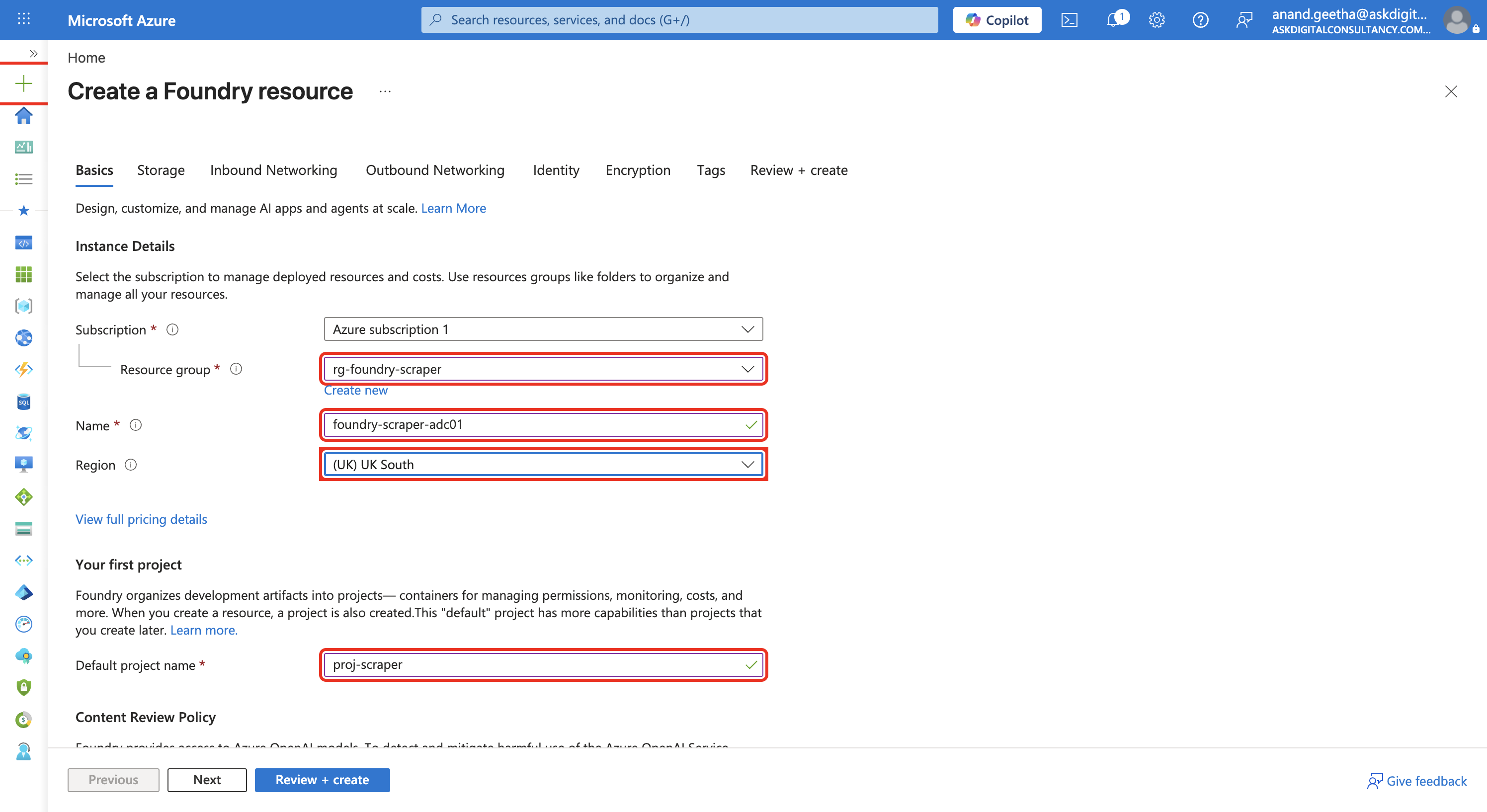
Basics filled in (boxed). Other tabs left at defaults. -
Review + create → Create (~1–2 min). The resource group now holds the Foundry resource and the project, both UK South.
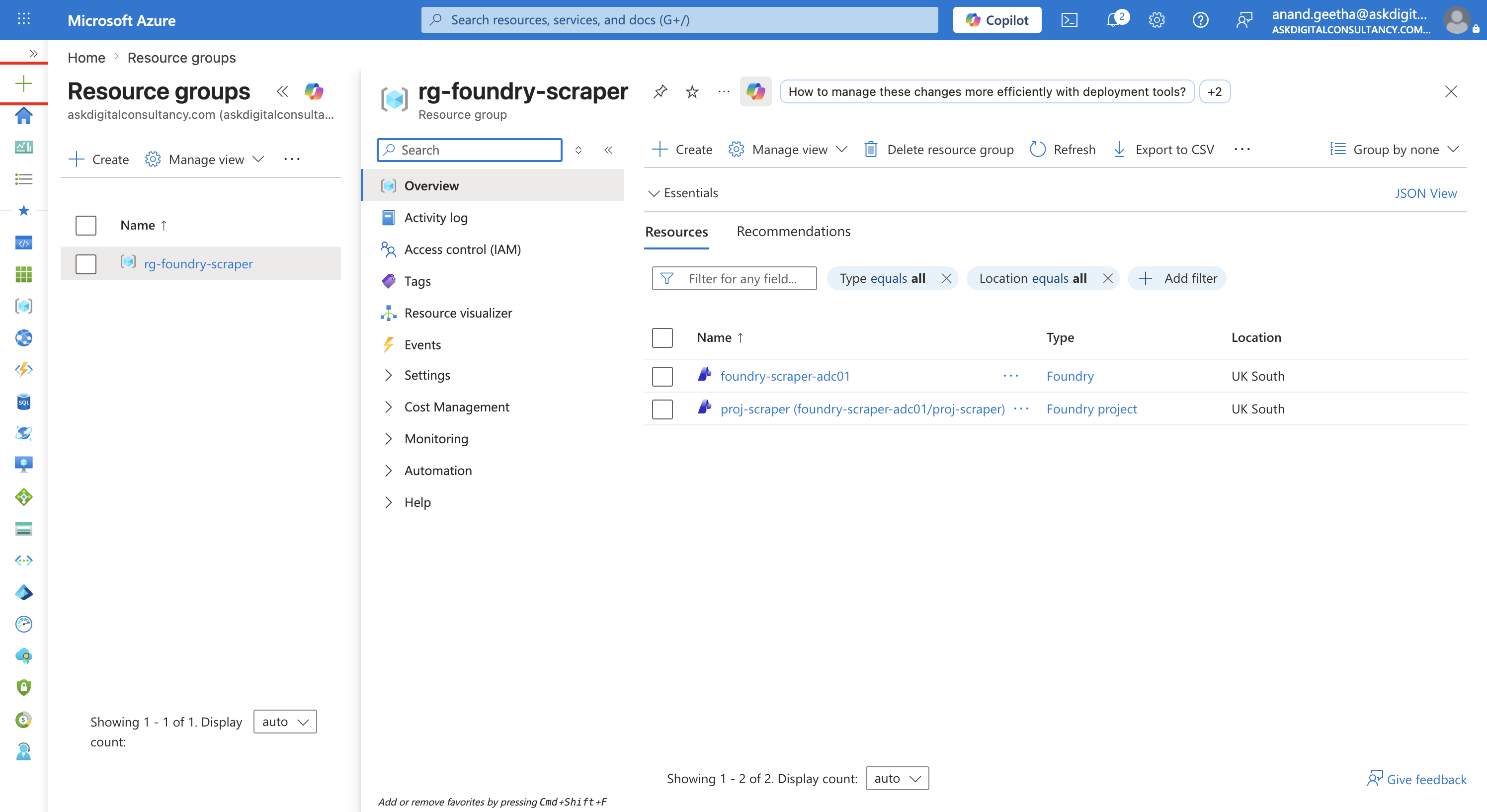
Done — Foundry resource + project, status Succeeded.