5. Deploy a model without quota — serverless
There’s a class of models that bills per token on its own endpoint and draws no Azure OpenAI quota at all — serverless, or Models-as-a-Service (MaaS). These sail straight past the wall from the last page.
In plain English
Section titled “In plain English”The quota wall is only for the Azure OpenAI models. Serverless models are different — you “subscribe” to them through the Azure Marketplace and pay per token, like a metered tap. No allowance to request, no waiting. The catch: not every serverless model is offered in every region, so you may try two or three before one works.
What’s available where (the real experience)
Section titled “What’s available where (the real experience)”In UK South, two serverless models refused before one worked:
-
Cohere Command → Deploy was disabled (not offered serverless in UK South).
-
DeepSeek-V3.1 → Deploy failed: “not available.”
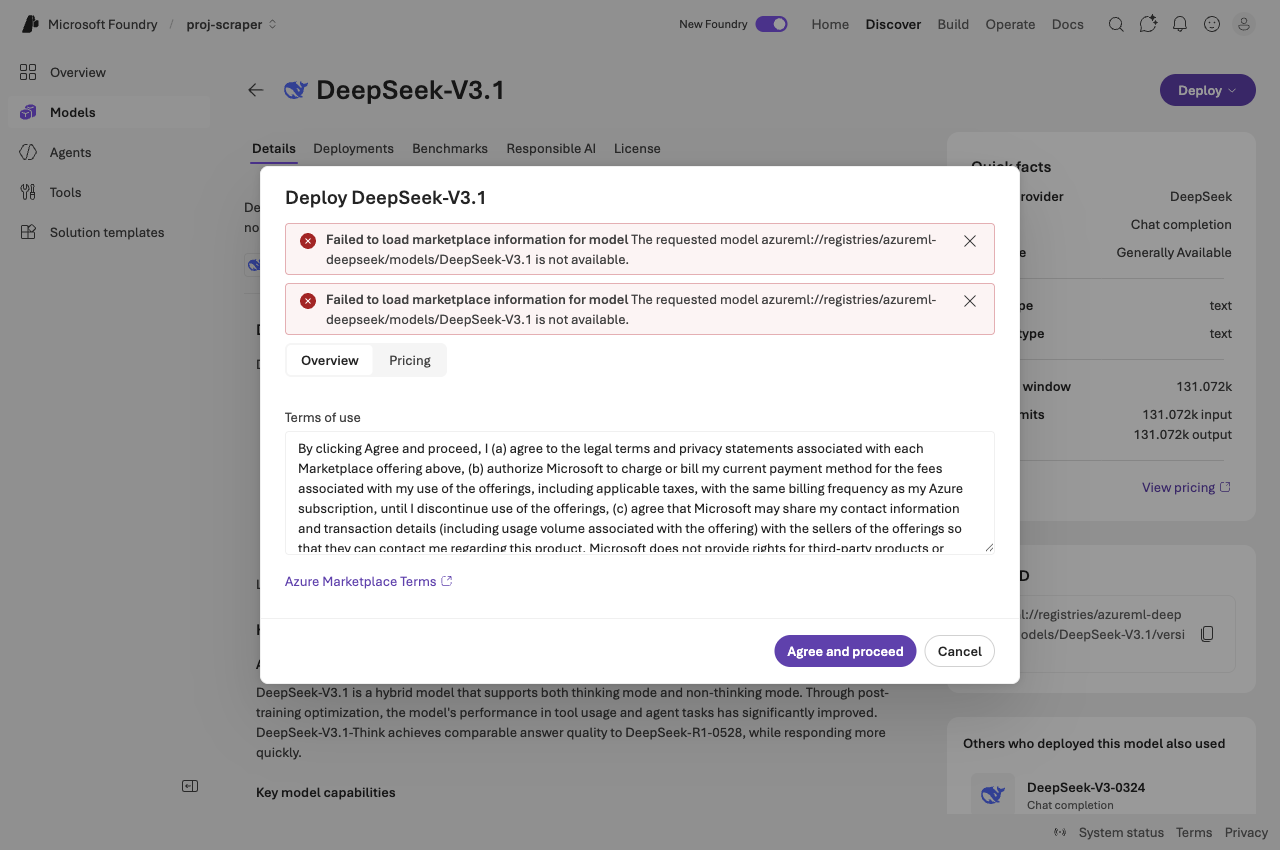
DeepSeek-V3.1 — 'not available' in UK South (red error toasts). Serverless availability is per-region; check before committing. -
DeepSeek-R1 → worked. Deploy → Default settings → it dropped straight into the playground with no quota dialog at all, and replied to a test prompt.
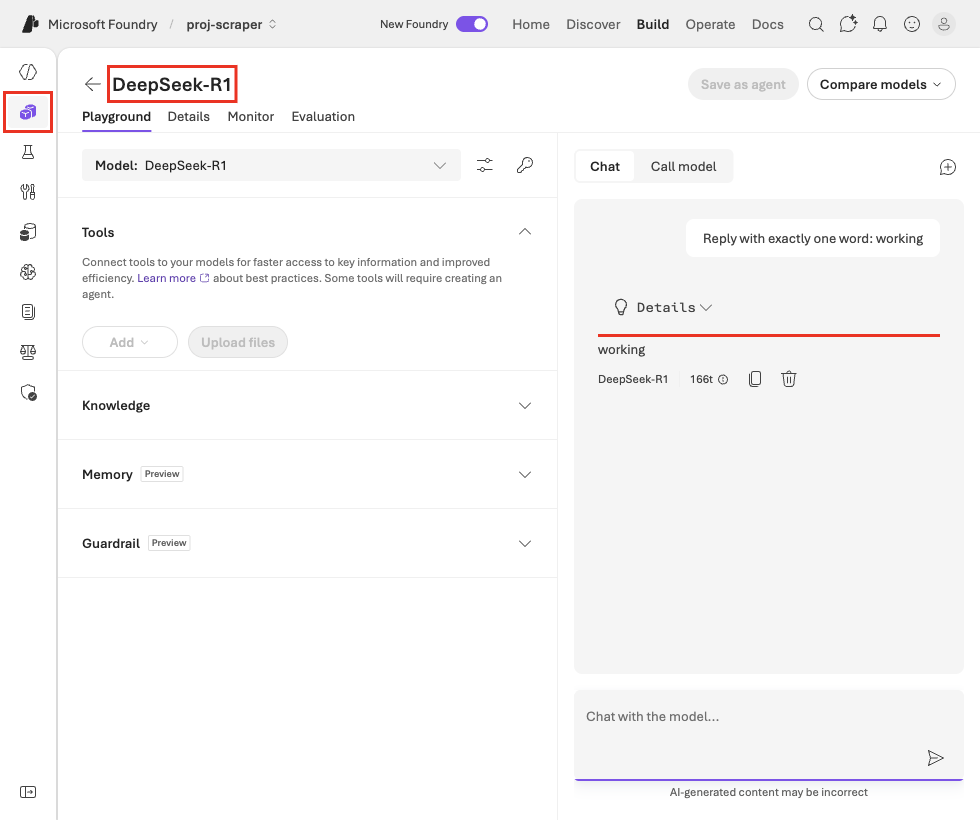
DeepSeek-R1 deployed and answering 'working' — no quota wall. Note the Tools / Knowledge / Memory panel on the left.
Deploy a tool-calling model (Mistral Small)
Section titled “Deploy a tool-calling model (Mistral Small)”mistral-small-2503 (Mistral Small 3.1) is a strong native function-caller, 128k context, and serverless — an ideal, cheap agent brain.
-
Discover → Mistral AI (or View all models → Source = Mistral AI). With “Available in my project” on, open mistral-small-2503 → Deploy.
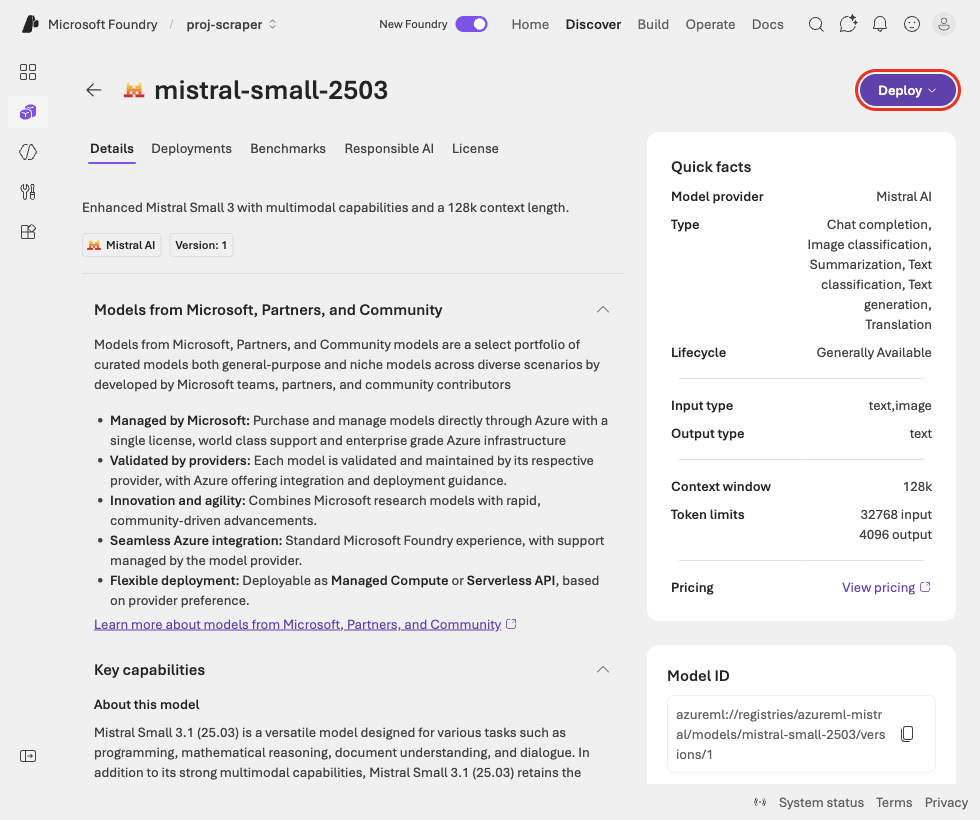
Mistral Small detail page — Deploy boxed. -
Choose Default settings.
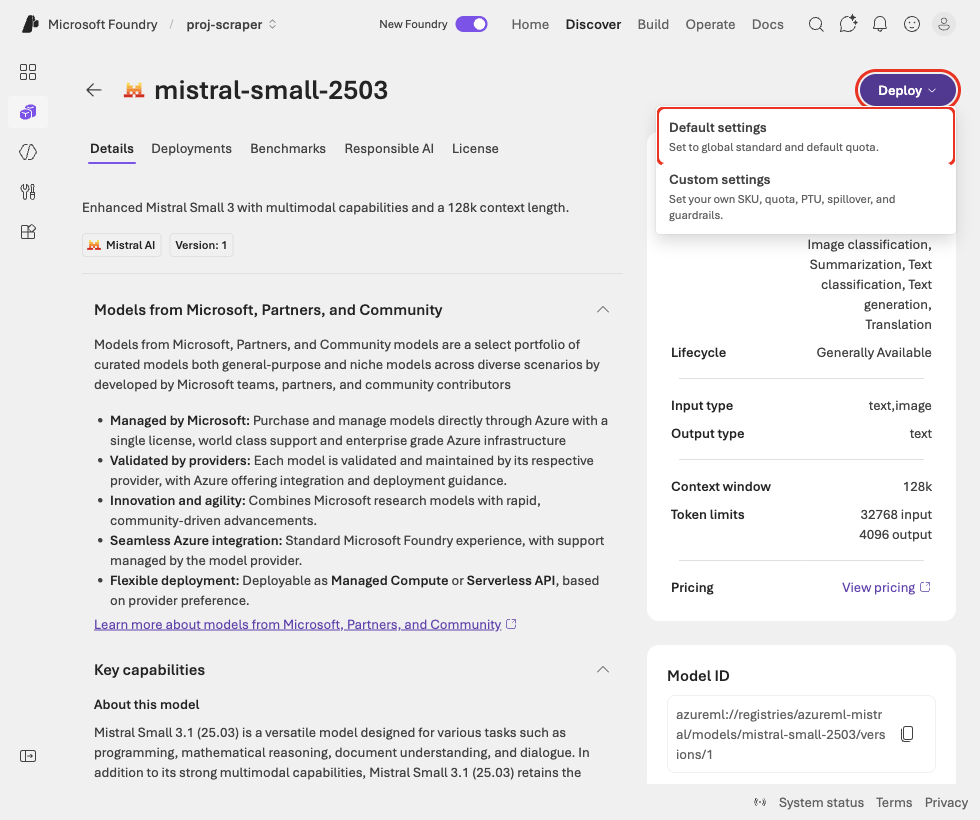
Default vs Custom settings — Default boxed. -
The Azure Marketplace terms dialog → Agree and proceed. This consents to pay-per-token billing on your existing subscription — there’s no card entry here.
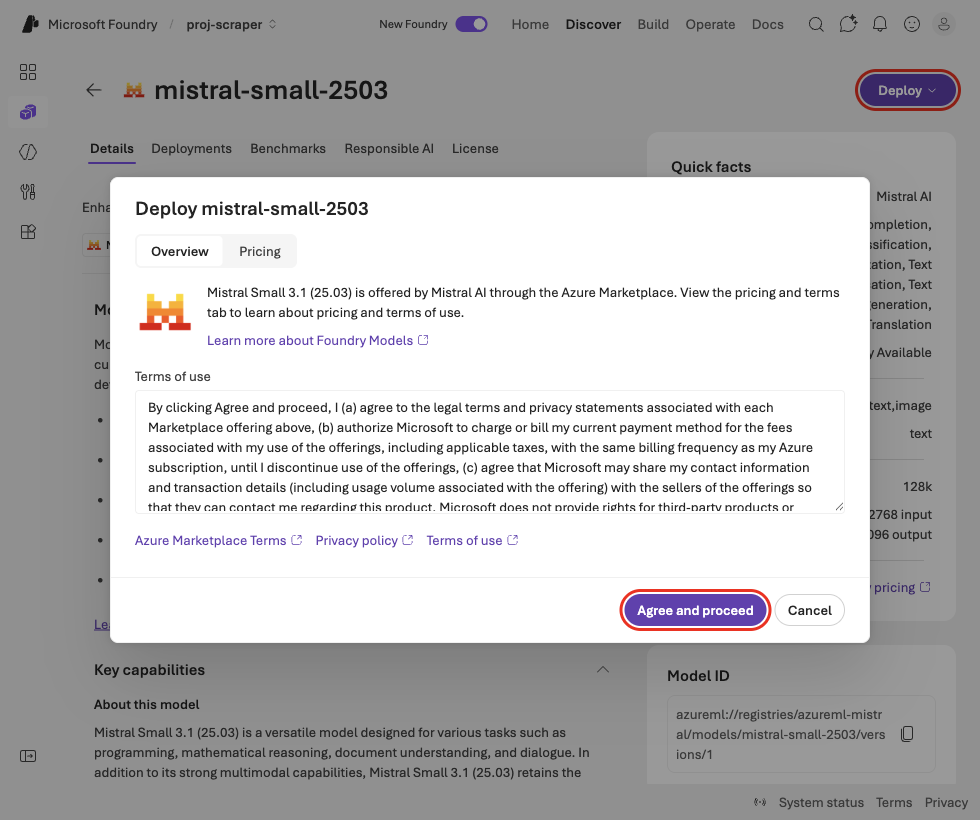
Marketplace terms — 'Agree and proceed' boxed. This is a serverless (metered) subscription. -
It deploys and lands in the playground (~1–2 min to warm up). Test it: ask “In one short sentence, what can you do?” — it answers. Note the Tools → Add button (boxed): that’s where the agent’s scraping tool will attach.
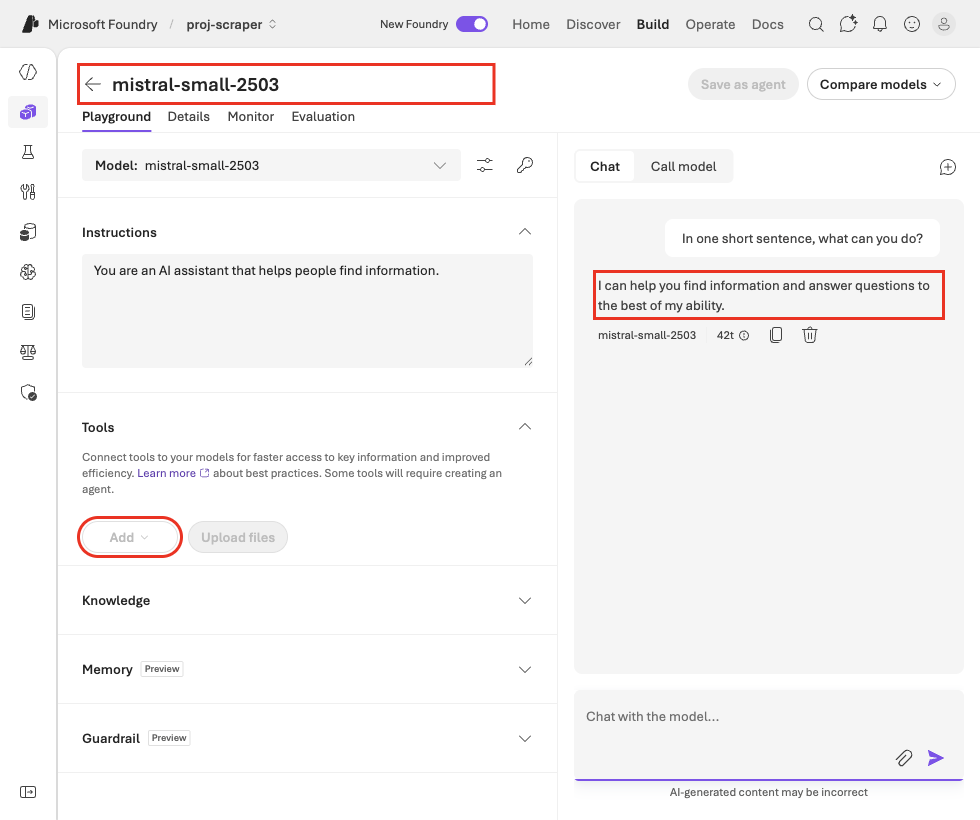
mistral-small-2503 deployed and answering. The boxed Tools → Add is the attach point for the next steps.