3. Switch to the new Foundry experience
Foundry currently has two interfaces: the classic one and a redesigned new experience. The rest of this walkthrough uses the new one, so flip the toggle now.
In plain English
Section titled “In plain English”Microsoft is mid-redesign, so there are two versions of the same product side by side. There’s a switch at the top that flips between them. We use the new one because it’s where agents, models and playgrounds now live together.
Follow along
Section titled “Follow along”-
On any Foundry portal page, find the “New Foundry” toggle at the top (the banner reads “Try the new Microsoft Foundry experience”). Flip it on.
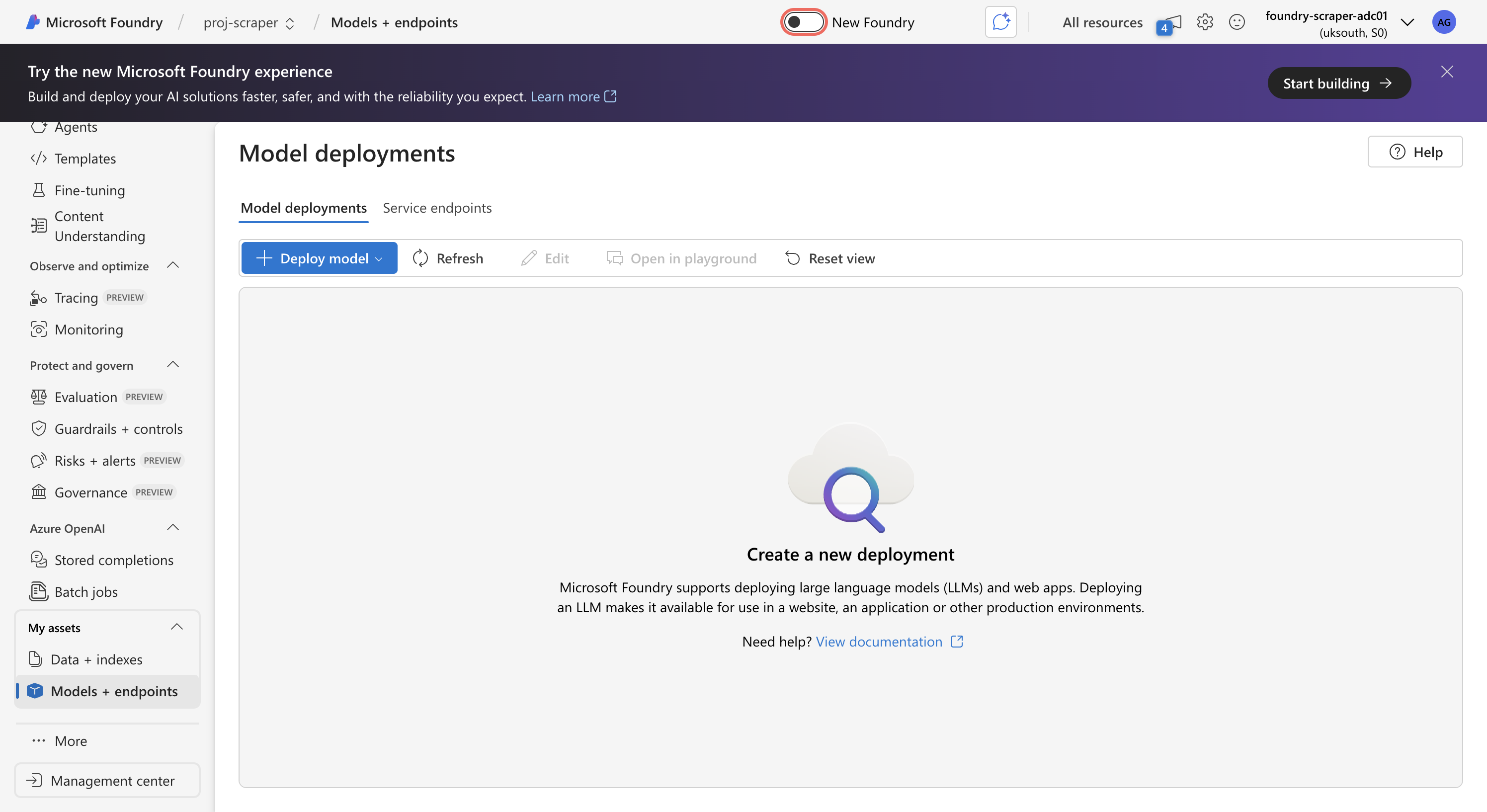
The classic Models page — the 'New Foundry' toggle is boxed, top-centre. -
The URL switches to
ai.azure.com/nextgen/…and you land on the new Home: top nav Home · Discover · Build · Operate · Docs, with cards for Create agents / Explore playgrounds / Find models.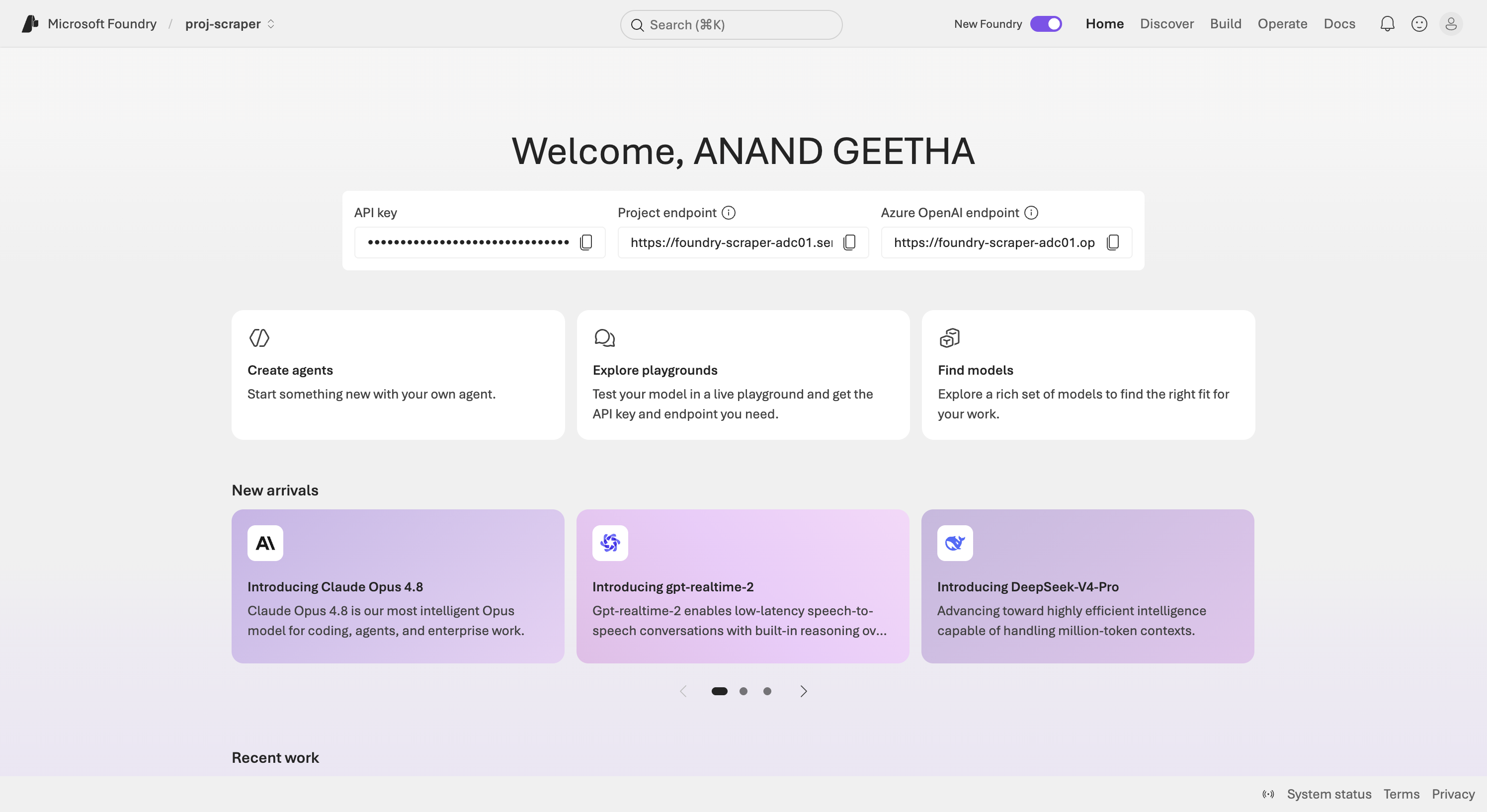
The new Foundry home. -
A welcome dialog explains the three pillars (Agents / Model deployments / Playgrounds). Close it (the X) to continue.
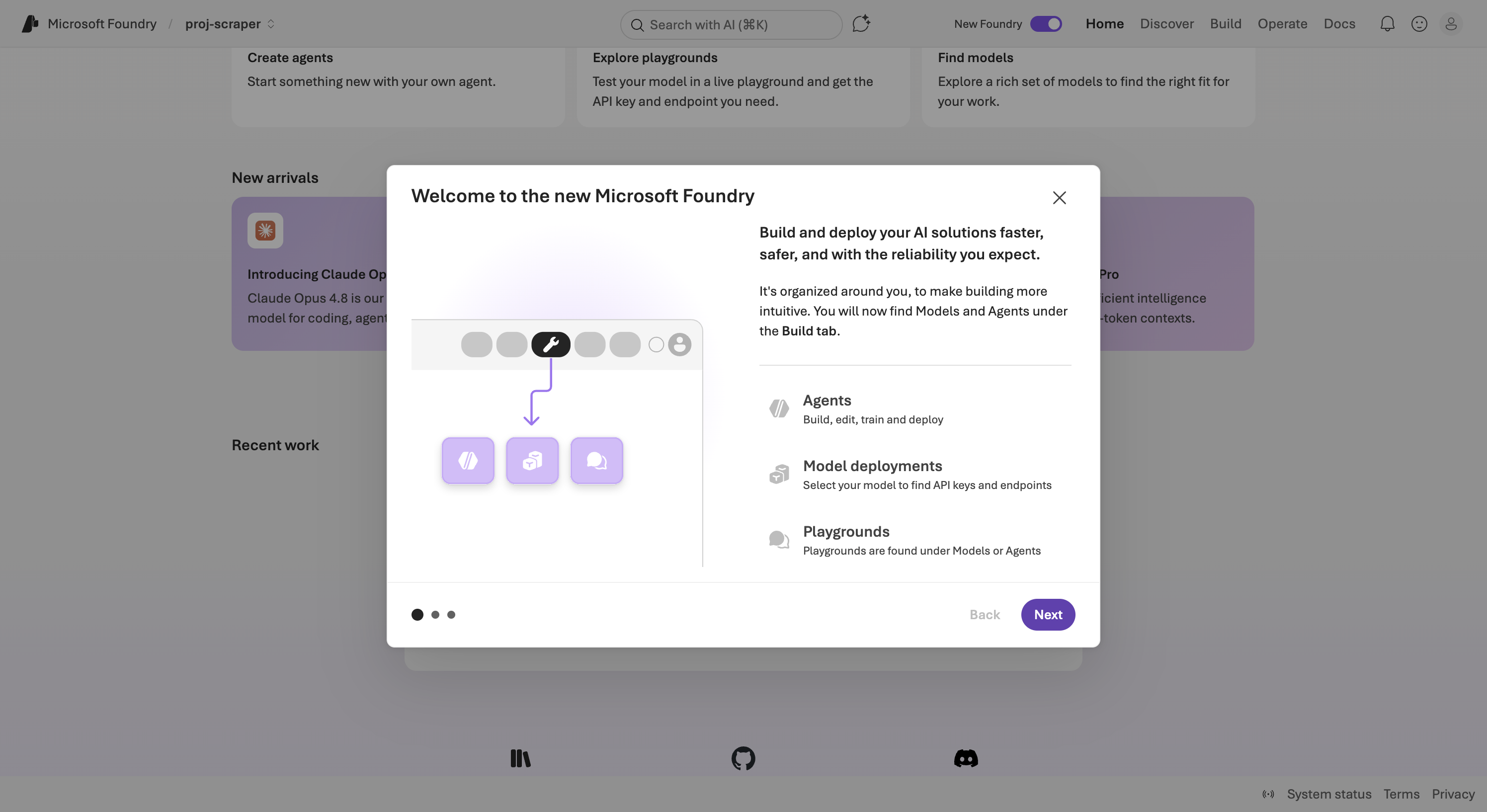
The 'Welcome to the new Microsoft Foundry' intro — close it to proceed.
Next: hit the quota wall →